> For the complete documentation index, see [llms.txt](https://experience.wallex.global/neobanking/llms.txt). Markdown versions of documentation pages are available by appending `.md` to page URLs; this page is available as [Markdown](https://experience.wallex.global/neobanking/buy-crypto-by-card.md).
# Buy Crypto by Card
Transform your financial accessibility.
As financial technology continues to evolve, we provide individuals and businesses with a myriad of options for managing their assets and conducting transactions. With **Buy Crypto by Card**, we prioritize a user-friendly approach to purchasing cryptocurrency via card transactions.
***
## How It Works
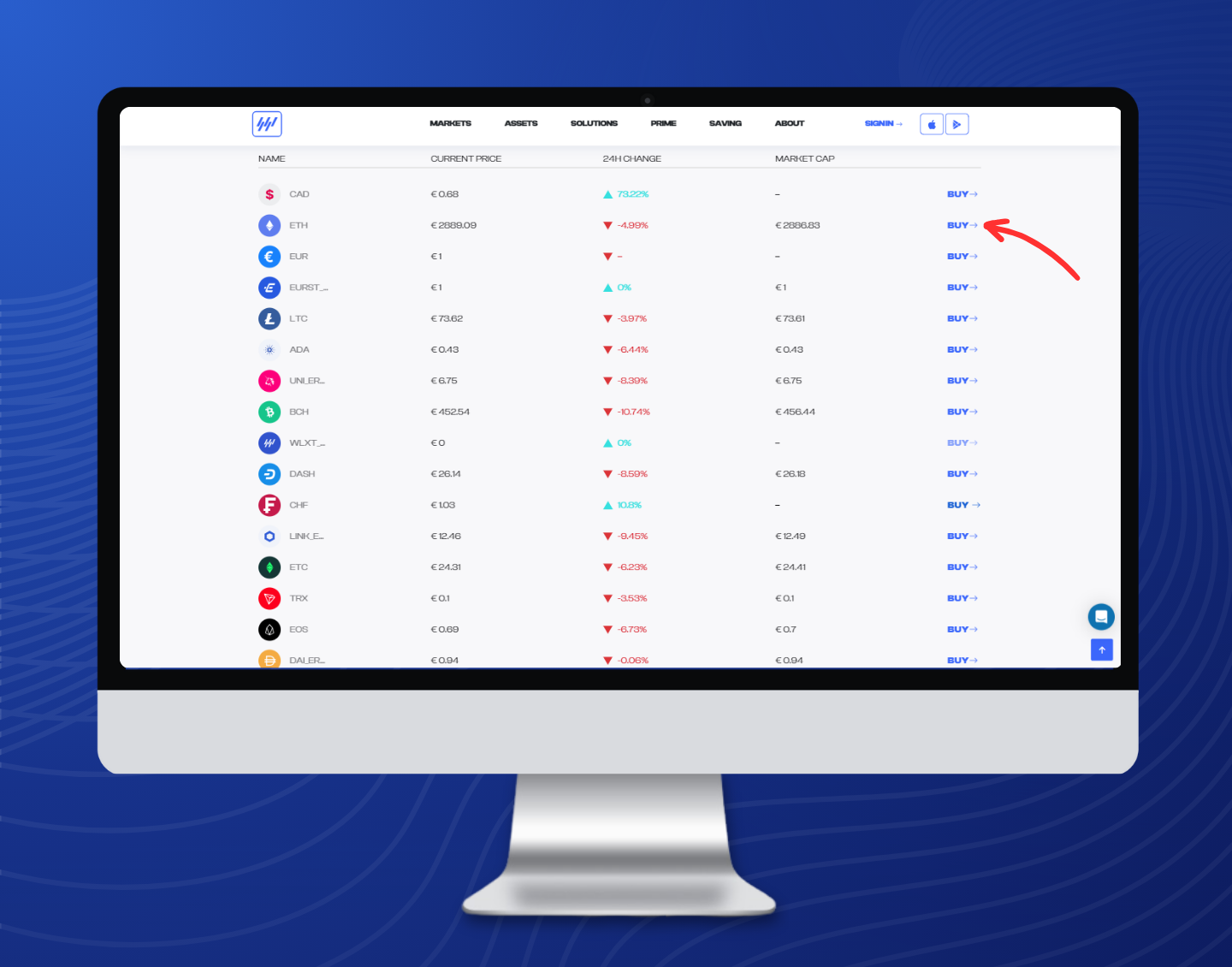
**Buy Crypto by Card** is a method that enables you to directly purchase digital assets such as Bitcoin or Ethereum using your debit or credit card. You can access this feature through the **\[Buy ->]** buttons on our [Markets page](https://wallex.global/markets).
***
### Step 1: Navigate to Our Website and Select \[Markets]
You can reach it by clicking on the following [link](https://wallex.global/markets) or from the home page select the **\[Markets]** button.
### Step 2: Scroll Down and Locate the Currency You Wish to Buy
Scroll through the list of available currencies until you find the one you want to purchase.
### Step 3: Proceed to the Buying Page by Clicking \[Buy ->]
Once you've found the desired currency, click on the **\[Buy ->]** button associated with it to proceed to the buying page.
### Step 4: Enter Amount and Currency You Wish to Receive
On the buying page, enter the amount of the currency you wish to purchase and select the currency you want to receive in exchange.
### Step 5: Finalize the Process by Tapping on \[Buy Crypto] Button
After entering the necessary details, review your order, and then tap on the **\[Buy Crypto]** button to finalize the purchase.
{% hint style="info" %}
Need assistance? Contact our Experts [here](/neobanking/contact-our-experts.md).
{% endhint %}
.png?alt=media&token=67be8df2-23b6-48ea-899c-24d06395d642)